When I first started learning SEO, I often heard people talking about something called a sitemap. Honestly, I thought it was just another technical thing that only developers needed to worry about.
But after spending some time understanding how websites work, I realized that a sitemap is actually one of the easiest ways to help search engines find your pages.
If you’re new to SEO and wondering what a sitemap is, how it helps search engines, and whether it really matters, don’t worry. In this guide, I’ll explain everything in simple and easy language.
What Is a Sitemap?
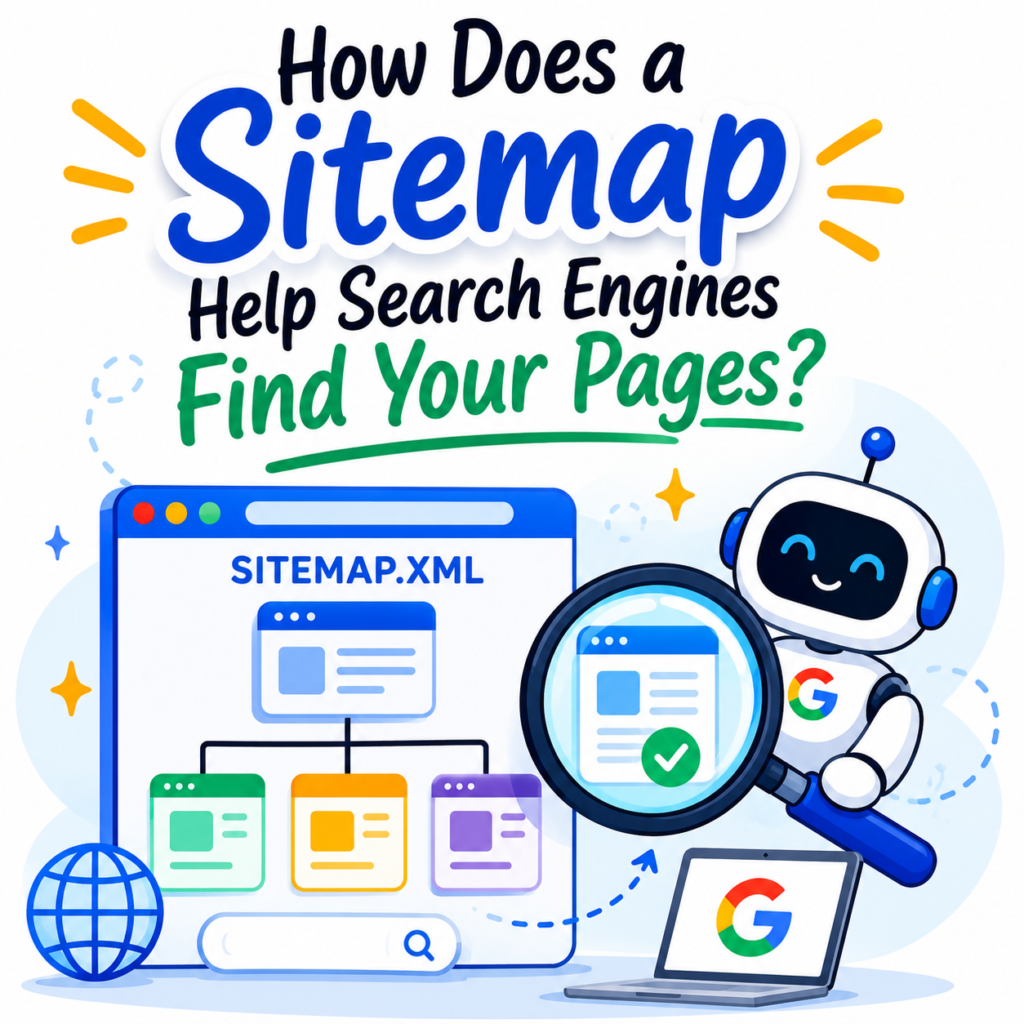
A sitemap is a file that contains a list of important pages, posts, videos, and files on your website. Think of it as a roadmap that helps search engines understand your site structure.
Search engines like Google use bots to crawl websites. A sitemap helps these bots discover your content faster and more efficiently.
Without a sitemap, search engines can still find pages through internal links, but a sitemap makes their job easier.
Why Is It Called a Sitemap?
Imagine you are visiting a new city. A map helps you find roads and important places without getting lost.
A sitemap works the same way. It shows search engines where your pages are and how they are connected.
That’s why it is called a sitemap.
How Does a Sitemap Help Search Engines Find Your Pages?
When Googlebot visits your website, it crawls links to discover content. However, some pages may be hard to find, especially if they are buried deep inside the website.
A sitemap helps by giving search engines a complete list of important pages.
Instead of guessing where pages are located, search engines can simply read the sitemap and quickly find them.
This helps search engines crawl and index your content more efficiently.
Does a Sitemap Help with Indexing?
Yes.
One of the biggest benefits of a sitemap is better indexing.
Indexing means adding your pages to Google’s database so they can appear in search results.
If Google cannot discover a page, it cannot index it.
A sitemap helps make sure that important pages are discovered and indexed.
This is especially useful for:
- Large websites.
- New websites.
- Websites with many categories.
- Pages that have very few internal links.
- Recently published content.
What Information Does a Sitemap Provide?
Besides listing URLs, a sitemap can also tell search engines:
- When a page was last updated.
- How often content changes.
- Alternate language versions of pages.
- Which pages are important.
This information helps search engines understand your website better.
What Are the Different Types of Sitemaps?
There are two common types of sitemaps.
XML Sitemap
This is the most important type for SEO.
An XML sitemap is created mainly for search engines. It contains machine-readable code that search engines use to crawl your website correctly.
Most website owners use XML sitemaps.
Usually, the sitemap address looks like this:
yourwebsite.com/sitemap.xml
HTML Sitemap
An HTML sitemap is designed for visitors.
It is a webpage that lists important sections and pages of your website.
Many websites place an HTML sitemap in the footer to help users navigate easily.
Does Every Website Need a Sitemap?
Not necessarily.
Google can still discover pages through internal links.
However, having a sitemap is highly recommended because it helps search engines find content more efficiently.
Sitemaps are especially useful for:
- New websites.
- Large websites.
- Websites with thousands of pages.
- Sites with weak internal linking.
- Frequently updated websites.
Does a Sitemap Improve Rankings?
Not directly.
Adding a sitemap won’t suddenly make your website rank higher.
A sitemap is not a ranking factor.
However, it helps search engines discover and index your pages faster, which supports your overall SEO efforts.
Think of it as helping Google understand your website rather than improving rankings directly.
Can a Website Work Without a Sitemap?
Yes.
Many websites can still rank without one because search engines can follow links between pages.
But without a sitemap, some pages may take longer to be discovered.
That’s why having a sitemap is considered a best practice in SEO.
How Can You Create a Sitemap?
Creating a sitemap is easier than many people think.
WordPress
If you use WordPress, your website probably already has a sitemap.
Plugins like Yoast SEO, Rank Math, and All in One SEO automatically generate one.
Wix and Shopify
Platforms like Wix and Shopify automatically create sitemaps for users.
Custom Websites
If you have a custom-built website, you can create a sitemap using free sitemap generator tools.
How Do You Submit a Sitemap?
After creating a sitemap, you can submit it through Google Search Console.
This helps Google discover your pages and lets you monitor indexing issues.
Submitting a sitemap is simple and takes only a few minutes.
Although Google may eventually find your pages on its own, submitting a sitemap can speed up the process.
Where Is a Sitemap Located?
Most websites place their sitemap at:
yourwebsite.com/sitemap.xml
You can type this address in your browser to check whether your website has one.
Does a Sitemap Still Matter in SEO?
Absolutely.
Sitemaps are still important today.
Google itself recommends using them, especially for websites with many pages or frequently updated content.
Even though search engines are smart enough to find pages through links, a sitemap makes crawling easier and more efficient.
Final Thoughts
A sitemap acts like a roadmap for search engines. It lists your important pages and helps crawlers discover and index them more efficiently.
Although a website can work without one, having a sitemap is considered a good SEO practice. It helps search engines understand your content, discover new pages faster, and keep track of updates.
If you want to make it easier for Google to find your pages, having a sitemap is one of the simplest and most helpful things you can do for your website.