Introduction
Today’s websites are not just made for humans anymore. They are also being designed for AI systems that can read, understand, and interact with web pages. One of the newer ideas in this space is WebMCP Schemas.
If you are hearing this term for the first time, don’t worry. In this blog, I will explain it in very simple language, like a handwritten guide. You will learn:
- What WebMCP Schemas are
- How they work
- How to create them
- How to implement them in a website
Let’s start from the basics.
What Are WebMCP Schemas?
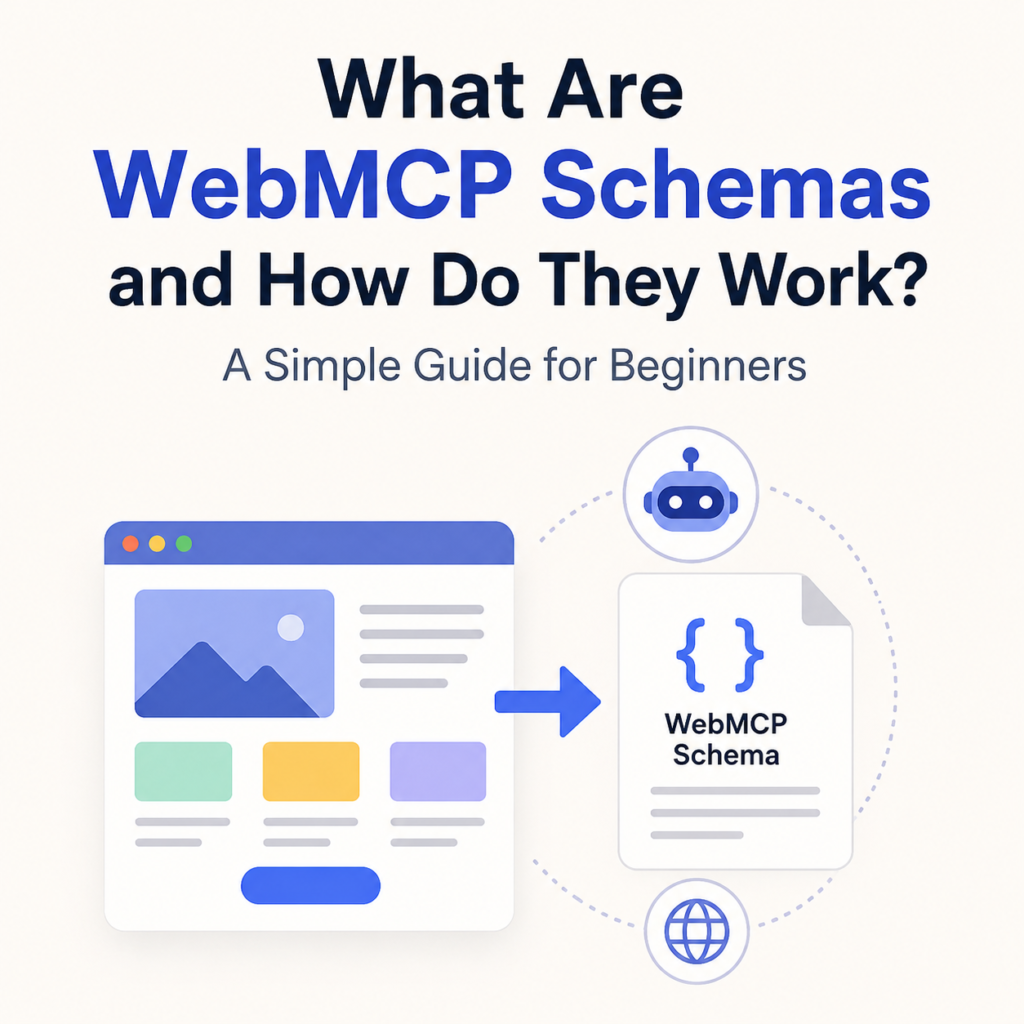
WebMCP Schemas are a structured way of describing website content so that AI systems and intelligent agents can understand it easily.
Think of it like this:
- Humans read websites using eyes
- AI systems read websites using structure (schemas)
So WebMCP Schemas act like a translator between websites and AI agents.
They define:
- What the website contains
- What each section means
- What actions are possible (like search, click, submit, etc.)
In simple words:
WebMCP Schemas are special instructions written in a structured format that help AI understand how a website works.
Why Do We Need WebMCP Schemas?
Earlier, websites were built only for humans. But now AI tools like chatbots, assistants, and autonomous agents also browse websites.
Without schemas:
- AI gets confused
- It misreads content
- It cannot perform tasks properly
With WebMCP Schemas:
- AI understands website structure easily
- It knows what buttons do
- It can extract correct information
- It can complete tasks automatically
So WebMCP makes websites AI-friendly and machine-readable.
Simple Example
Imagine a website has a search box.
Without schema:
AI only sees: “input box”
With WebMCP Schema:
AI sees:
- This is a search input
- It accepts text
- It returns product results
- It is linked to search API
Now AI knows exactly how to use it.
How Do WebMCP Schemas Work?
WebMCP Schemas work by adding structured data layers to a website. These layers describe:
1. Page Structure
It defines what the page contains:
- Header
- Navigation
- Content section
- Footer
2. Elements Meaning
It explains elements like:
- Buttons (what they do)
- Forms (what data they take)
- Links (where they lead)
3. Actions
It tells AI what actions are possible:
- Click
- Search
- Submit form
- Fetch data
4. Data Format
It defines how data is shown:
- Text
- Lists
- Tables
- JSON-like structure
Step-by-Step: How to Create WebMCP Schemas
Now let’s learn how to actually create one.
Step 1: Identify Website Sections
First, look at your website and divide it into parts like:
- Home page
- About section
- Product section
- Contact form
This helps in organizing schema.
Step 2: Define Each Element
Now describe each element in simple structured form.
Example:
- Button → “Buy Now”
- Input → “Search Products”
- Form → “Contact Form”
You are basically labeling everything.
Step 3: Add Meaning (Context)
Now explain what each element does.
Example:
- “Buy Now” button → adds product to cart
- Search box → searches products in database
- Contact form → sends message to admin
This step is very important because AI depends on meaning.
Step 4: Structure the Schema
Now arrange everything in a structured format (usually JSON-like).
Example (simple format):
Page: Home
– Header: Navigation Menu
– Search Box: Product Search
– Button: Buy Now (adds item to cart)
– Section: Featured Products
This structure is what AI reads.
Step 5: Connect Actions (APIs or Logic)
Now you link schema elements to real functions.
Example:
- Search box → /api/search
- Buy button → /api/cart/add
- Contact form → /api/send-message
This makes the schema functional, not just descriptive.
How to Implement WebMCP Schemas in a Website
Now let’s see how you can use it in real websites.
1. Add Schema File
You can create a separate file like:
- webmcp.json
or - schema.json
This file contains all structured data.
2. Link It in Website Code
You can include it in your HTML:
<script src=”webmcp.json”></script>
Or load it dynamically using JavaScript.
3. Connect with Frontend
Your frontend (React, HTML, etc.) should:
- Read schema file
- Render UI based on schema
- Attach actions to buttons
This makes your website dynamic and AI-readable.
4. Connect with Backend
Backend should:
- Handle schema actions
- Process AI requests
- Return structured responses
Example:
- /api/search returns product list
- /api/cart handles purchases
Real-World Use of WebMCP Schemas
WebMCP Schemas can be used in many places:
1. E-commerce websites
AI can:
- Search products
- Compare prices
- Add items to cart
2. Blogs
AI can:
- Summarize articles
- Recommend posts
- Extract topics
3. Service websites
AI can:
- Book appointments
- Fill forms
- Answer queries
4. AI Agents
They can fully browse and operate websites without human help.
Benefits of WebMCP Schemas
Here are the main advantages:
- Makes websites AI-friendly
- Improves automation
- Helps in smart search
- Better SEO in AI era
- Easier integration with AI tools
- Faster user experience
Challenges
Even though it is powerful, there are some challenges:
- Needs proper structure
- Developers must learn schema design
- Not all platforms support it yet
- Requires backend integration
Future of WebMCP Schemas
In the future, websites may not just be “pages” but interactive systems for AI agents.
WebMCP Schemas could become:
- Standard for AI web browsing
- Base for autonomous agents
- Part of every modern website
So learning it early is a big advantage.
Conclusion
WebMCP Schemas are a new way of designing websites so that AI systems can understand them easily. They add structure, meaning, and action-based logic to web pages.
In simple terms:
WebMCP Schemas turn normal websites into AI-readable websites.
If you are building modern websites, learning this concept can help you prepare for the future of AI-driven browsing.