Have you ever visited a website and struggled to find what you were looking for? Maybe the menu was confusing, the pages were difficult to find, or you had to click too many times just to reach the information you needed. Most people don’t enjoy that experience, and many leave the website without coming back.
Now think about your own website. If visitors cannot easily move from one page to another, they may leave before reading your content or making a purchase.
This is why website navigation is so important. A well-organized website helps visitors find information quickly. It also helps search engines understand your website, which can improve your SEO.
The good news is that you don’t need a complicated design to create a better website. A few simple improvements can make a big difference.
In this blog, you will learn easy ways to improve your website navigation and SEO.
What Is Website Navigation?
Website navigation is the system that helps visitors move around your website.
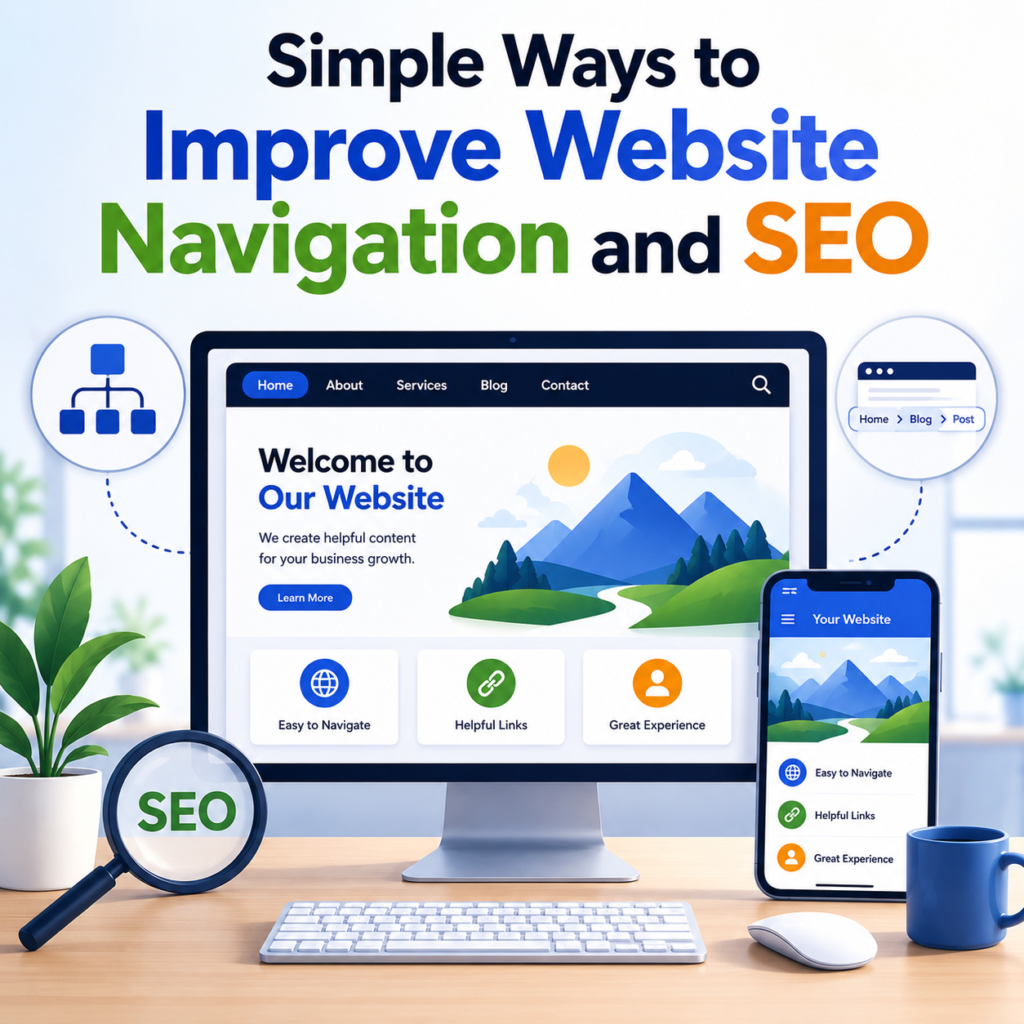
It includes your menu, internal links, categories, search bar, and breadcrumb navigation.
Good navigation allows visitors to find what they need without getting confused.
If your website is easy to use, people are more likely to stay longer and explore more pages.
Why Website Navigation Matters
Good navigation benefits both visitors and search engines.
For visitors, it saves time and reduces frustration.
For search engines, it makes it easier to discover and understand your pages.
A well-organized website can also encourage visitors to read more articles, visit more pages, and spend more time on your website.
Keep Your Website Structure Simple
One of the easiest ways to improve navigation is by creating a simple website structure.
Your pages should be organized into clear categories.
For example, if you have a health website, you can group your content into sections like Fitness, Nutrition, Skincare, Mental Health, and Healthy Living.
When everything is organized, visitors know exactly where to look.
Make Pages Easy to Reach
Visitors should not have to click many times to reach an important page.
A good rule is to make your important pages available within a few clicks from your homepage.
If users have to keep opening menu after menu, they may lose interest.
Keeping pages easy to reach creates a smoother browsing experience.
Use Clear Menu Names
Your navigation menu should use simple words that everyone understands.
Instead of creative or confusing names, choose labels that clearly describe the content.
For example:
- Home
- About
- Blog
- Services
- Contact
Simple menu names help visitors find information quickly.
Add Breadcrumb Navigation
Breadcrumb navigation is a small trail of links that shows visitors where they are on your website.
For example:
Home > Blog > SEO > Website Navigation
This helps users understand their location and easily return to previous pages.
Breadcrumbs are especially useful for websites with many categories and blog posts.
They also help search engines understand the structure of your website.
Use Internal Links
Internal links connect one page of your website to another.
For example, if you write a blog about SEO, you can link to another article about keyword research.
Internal links help visitors discover more useful content without searching for it themselves.
They also help search engines crawl your website more effectively.
Organize Your Categories
Avoid creating too many categories.
If every article has its own category, your website can become confusing.
Instead, group similar topics together.
A clean category structure makes your website easier to browse.
Add a Search Bar
Some visitors know exactly what they are looking for.
A search bar allows them to find it quickly.
This is especially useful for websites with many blog posts or products.
A simple search feature can save visitors a lot of time.
Make Navigation Mobile-Friendly
Today, many people browse websites on their smartphones.
Your menu should work well on smaller screens.
Buttons should be easy to tap, and menus should open smoothly.
If your navigation is difficult to use on mobile devices, visitors may leave your website.
Keep Important Pages Visible
Pages like your homepage, contact page, services, and main blog categories should always be easy to find.
Don’t hide important pages inside multiple menus.
Visitors should be able to reach them quickly.
Avoid Broken Links
Nothing is more frustrating than clicking a link that leads to a 404 Page Not Found error.
Check your website regularly and fix broken internal links.
Working links create a better experience and help visitors trust your website.
Use Descriptive Link Text
Instead of writing:
Click here
Use text that explains where the link goes.
For example:
Read our complete guide to keyword research.
Clear link text helps both visitors and search engines.
Keep Your Homepage Clean
Your homepage is often the first page visitors see.
Avoid adding too many buttons, menus, or unnecessary information.
A clean homepage helps visitors understand your website immediately.
Help Search Engines Understand Your Website
Search engines discover your pages by following links.
A logical website structure makes this process easier.
When pages are connected properly through menus, categories, internal links, and breadcrumbs, search engines can crawl your website more efficiently.
This can support better SEO over time.
Review Your Website Regularly
Your website changes as you publish new content.
Old pages may become outdated.
Menus may need updating.
Categories may grow larger.
Spend some time reviewing your website every few months.
Look for pages that are difficult to find and improve the navigation where needed.
Common Navigation Mistakes
Many website owners make small mistakes that affect user experience.
Some common mistakes include:
- Too many menu items.
- Confusing category names.
- Broken internal links.
- Important pages hidden deep inside the website.
- No breadcrumb navigation.
- Poor mobile navigation.
Avoiding these mistakes can make your website much easier to use.
Benefits of Good Website Navigation
Improving your navigation offers many advantages.
- Visitors find information faster.
- People stay on your website longer.
- Users explore more pages.
- Search engines understand your website better.
- Important pages become easier to discover.
- Your website looks more professional.
These improvements create a better experience for everyone.
A Simple Example
Imagine two websites.
The first website has a clear menu, helpful internal links, breadcrumb navigation, and organized categories.
The second website has confusing menus, broken links, and pages hidden deep inside the site.
Which one would you rather use?
Most people would choose the first website because it is easier to navigate.
That is exactly what your visitors want.
Final Thoughts
A well-organized website is easier for both visitors and search engines to understand. You do not need a complicated design to improve your website navigation. Small changes, such as using clear menus, organizing your categories, adding breadcrumb navigation, fixing broken links, and making pages reachable within a few clicks, can make a big difference.
Good navigation helps visitors find the information they need quickly, encourages them to explore more pages, and creates a smoother browsing experience. At the same time, it helps search engines crawl your website more effectively, supporting your SEO efforts.
Remember, a website should guide visitors, not confuse them. The easier it is for people to move around your website, the more likely they are to stay, trust your content, and return again in the future.