When you create a website, there are many small things that help improve your SEO. One of these is using the H1 tag correctly. Many beginners focus only on keywords and backlinks, but they forget about proper page structure. A simple mistake like using more than one H1 tag can make your page less organized.
The good news is that fixing this problem is easy.
In this blog, you will learn what an H1 tag is, why every page should have only one H1 tag, how it helps SEO, common mistakes to avoid, and how to fix H1 tag issues on your website.
What Is an H1 Tag?
An H1 tag is the main heading of a web page. It tells both visitors and search engines what the page is about.
Think of it like the title on the cover of a book. Before reading the content, people first see the title and understand what the book is about. The H1 tag works the same way.
For example, if your page is about healthy eating, your H1 could be:
Healthy Eating Tips for a Better Life
Everything else on the page should support this main topic.
Why Is the H1 Tag Important?
The H1 tag is important because it helps organize your content. It makes your page easier to read and understand.
A clear H1 tag helps:
- Tell visitors what the page is about.
- Help search engines understand your content.
- Improve the overall user experience.
- Make your page look well-structured.
When visitors quickly understand your page, they are more likely to stay and continue reading.
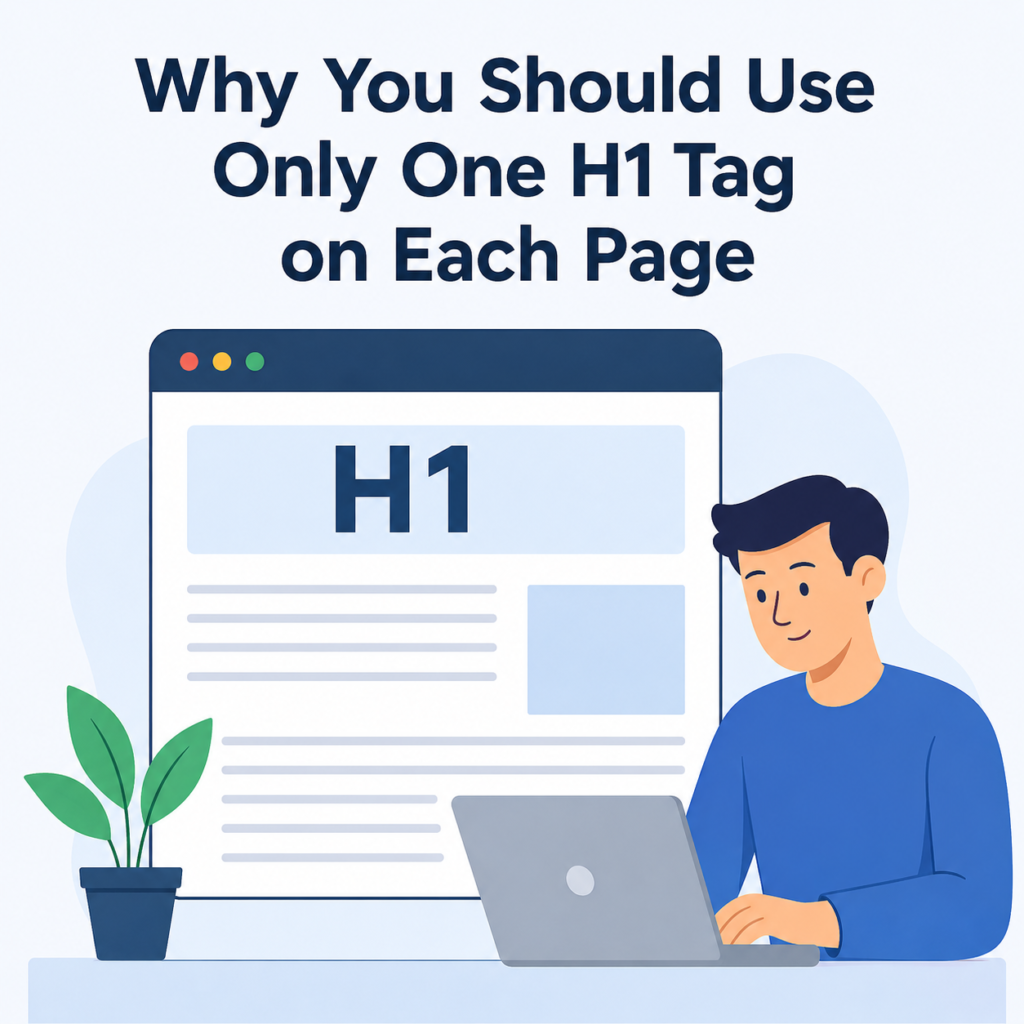
Why Should You Use Only One H1 Tag?
Using only one H1 tag keeps your page clear and organized.
Imagine opening a book that has three different main titles on the first page. It would be confusing. The same thing happens when a webpage has multiple H1 tags.
Having one H1 tag gives your page one clear main topic. Then you can use H2 and H3 headings to divide different sections of the content.
For example:
H1: Healthy Eating Tips
H2: Benefits of Healthy Food
H2: Foods to Avoid
H2: Easy Healthy Meal Ideas
This structure is simple and easy for everyone to follow.
Does One H1 Tag Help SEO?
Yes, it can.
Search engines look at many signals when understanding a webpage. A clear H1 tag is one of them.
Using one H1 tag helps search engines understand:
- The main topic of the page.
- How your content is organized.
- What users can expect from the page.
Although having one H1 tag alone will not make your page rank first, it is an important part of good on-page SEO.
What Happens If You Use Multiple H1 Tags?
Using multiple H1 tags may not always cause a major SEO problem, but it can make your page structure confusing.
Some possible issues include:
- Visitors may not know which heading is the main topic.
- Your content may look unorganized.
- Search engines may have a harder time understanding the page.
- Your website may fail SEO audits.
Keeping one H1 tag makes everything cleaner and more professional.
Common H1 Tag Mistakes
Many website owners make small mistakes without realizing it.
Here are some common ones:
1. Using More Than One H1
This is the most common mistake. Every page should have only one main heading.
2. Missing the H1 Tag
Some pages have no H1 tag at all. This makes it harder for search engines to understand the page.
3. Making the H1 Too Long
Keep your H1 simple and clear.
Instead of writing a very long heading, write something short and meaningful.
4. Using Different H1 Tags for the Same Topic
The H1 should clearly describe the page.
Avoid confusing or unrelated headings.
5. Stuffing Too Many Keywords
Do not repeat the same keyword again and again.
Write naturally for your readers.
How to Check Your Website for H1 Tags
You can easily check whether your pages have one H1 tag.
Some easy methods include:
- View the page source.
- Use your browser’s inspect tool.
- Use SEO audit tools.
- Use browser extensions that show heading tags.
These tools quickly tell you whether your page has one H1, multiple H1 tags, or no H1 at all.
How to Fix Multiple H1 Tags
If your website has more than one H1 tag, don’t worry. It is usually easy to fix.
Here are the steps:
Find the Extra H1 Tags
Run an SEO audit or inspect the page.
Keep Only the Main Heading
Choose the heading that best describes the page.
Change Other H1 Tags
Convert the extra H1 tags into H2 or H3 headings.
Check Every Important Page
Review your homepage, blog posts, product pages, and service pages.
Test Again
Run another SEO audit to confirm that only one H1 tag remains.
Best Practices for H1 Tags
Follow these simple tips:
- Use only one H1 tag on each page.
- Make the H1 match the page topic.
- Keep it short and easy to understand.
- Include your main keyword naturally.
- Place the H1 near the top of the page.
- Use H2 and H3 headings for sections.
- Write for people first, not just search engines.
These small habits can improve both SEO and user experience.
H1 vs H2 vs H3
Many beginners get confused between heading tags.
Here is an easy way to understand them.
H1
The main title of the page.
H2
Main sections inside the page.
H3
Smaller topics under an H2 section.
For example:
H1: How to Grow Indoor Plants
H2: Best Plants for Beginners
H2: Watering Tips
H3: How Often to Water
This creates a neat and easy-to-read structure.
Should Every Page Have an H1 Tag?
Yes.
Almost every important page should have one H1 tag.
This includes:
- Homepage
- Blog posts
- Service pages
- Product pages
- Category pages
- Landing pages
Each page should have its own unique H1 that matches its content.
Does the H1 Need to Match the Title Tag?
Not exactly.
The page title (title tag) appears in search engine results and browser tabs.
The H1 appears on the webpage itself.
They can be similar, but they do not have to be exactly the same.
For example:
Title Tag:
Why You Should Use Only One H1 Tag on Each Page | Wisdom Sparkle
H1:
Why You Should Use Only One H1 Tag on Each Page
This works perfectly.
Final Thoughts
Using only one H1 tag on each page is a simple SEO practice that can make a big difference. It helps organize your content, improves the reading experience, and makes it easier for search engines to understand your page.
Remember that SEO is not only about keywords or backlinks. A well-structured page is also important. By using one clear H1 tag and arranging the rest of your headings properly, you create content that is easier for both people and search engines to understand.
If you are building or updating your website, take a few minutes to check your H1 tags. This small change can make your pages look more professional, improve your website structure, and support better SEO over time.