If your website has many blog posts, products, news articles, or category pages, you should never place everything on a single page. Doing this can make your website slow, difficult to use, and harder for search engines to understand.
This is where pagination becomes important.
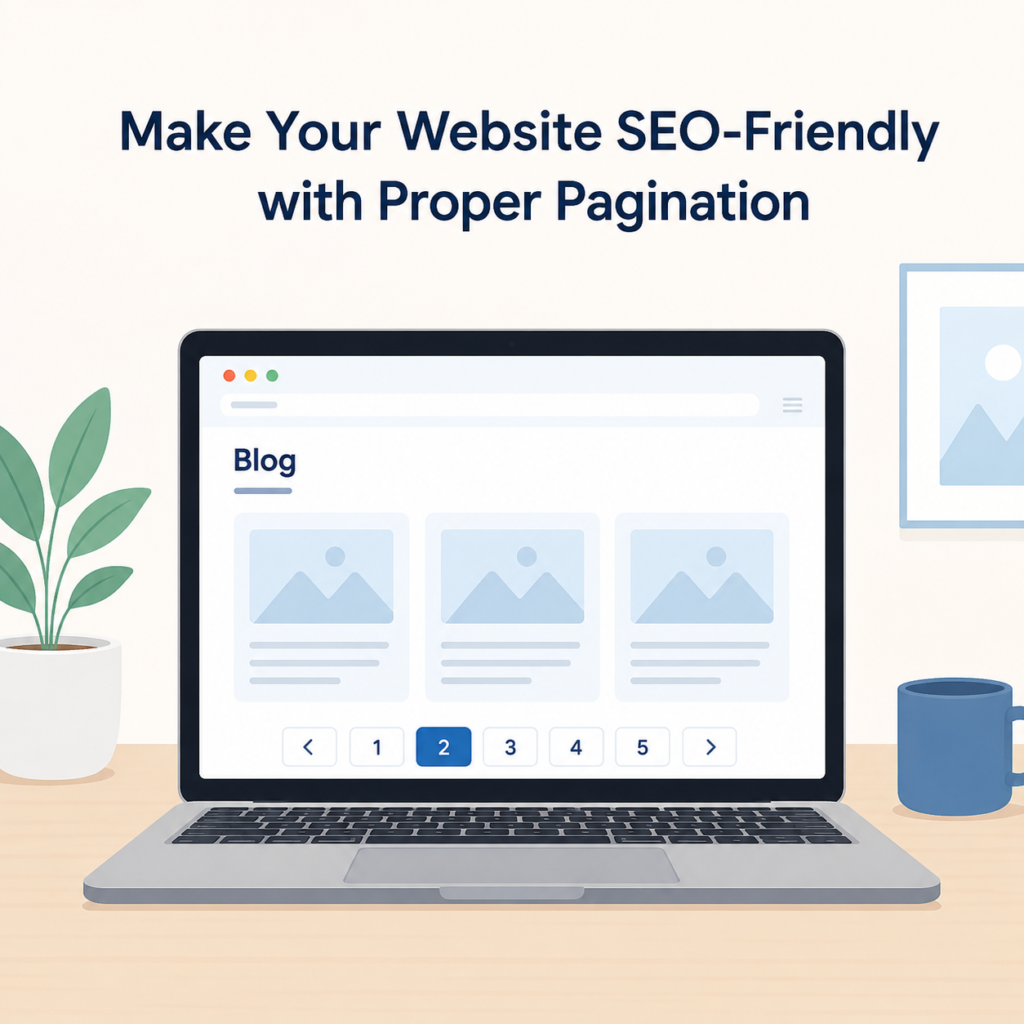
Pagination is a simple way to divide large amounts of content into multiple pages. Instead of showing 100 blog posts on one page, your website can display 10 posts on each page with page numbers such as Page 1, Page 2, Page 3, and so on.
Many website owners focus on writing quality content and building backlinks but forget about pagination. Even though it seems like a small part of SEO, proper pagination can improve your website’s performance, user experience, and search engine rankings.
In this article, we’ll explain what pagination is, why it matters, common mistakes to avoid, and how to make your website SEO-friendly with proper pagination.
What Is Pagination?
Pagination is the process of splitting a long list of content into several pages.
For example, imagine your blog has 80 articles.
Instead of showing all 80 articles on one page, your website can display:
- Page 1 – Articles 1 to 10
- Page 2 – Articles 11 to 20
- Page 3 – Articles 21 to 30
Visitors can move between pages using page numbers or Next and Previous buttons.
This makes your website cleaner and much easier to browse.
Why Pagination Is Important
Pagination is useful for both website visitors and search engines.
Better User Experience
Visitors don’t want to scroll through hundreds of posts on one page.
When content is divided into smaller pages, users can easily find what they are looking for without feeling overwhelmed.
A well-organized website keeps visitors engaged for a longer time.
Faster Page Loading
Loading too many posts on one page increases page size.
A heavy page takes longer to load, especially on mobile devices.
Pagination reduces the amount of content loaded at one time, making pages faster.
A faster website creates a better experience for visitors.
Easier Crawling for Search Engines
Search engines like Google crawl websites by following links.
Proper pagination helps search engine bots discover all your content in a logical order.
Without pagination, some pages may become difficult to find.
Better Website Structure
Pagination creates a clean website structure.
It helps organize blogs, categories, products, and archives in a simple way.
An organized website is easier to manage as it grows.
How Pagination Helps SEO
Good pagination supports SEO in several ways.
Improves Crawl Efficiency
Search engines have a limited crawl budget.
If your pages are organized properly, search engines can crawl more pages in less time.
This increases the chances of your content being indexed.
Reduces Duplicate Content Problems
Sometimes paginated pages contain similar titles, headings, or descriptions.
Using the correct canonical strategy helps search engines understand which page should be treated as the main version.
This reduces confusion during indexing.
Makes Internal Linking Better
Pagination automatically creates links between pages.
For example:
- Previous Page
- Next Page
- Page Numbers
These internal links help search engines move through your website easily.
Improves User Signals
Visitors who can easily browse your website usually stay longer.
Longer sessions, more page views, and lower bounce rates are all positive signals that support SEO.
Common Pagination Mistakes
Many websites use pagination incorrectly.
Here are some common problems.
Showing Too Much Content on One Page
Displaying dozens of posts on a single page makes it slow.
Large pages also become difficult to navigate.
Blocking Paginated Pages
Some website owners accidentally block Page 2, Page 3, or other paginated pages from search engines.
This prevents search engines from discovering valuable content.
Incorrect Canonical Tags
Every paginated page should have the correct canonical URL.
Using the wrong canonical tag can stop important pages from being indexed.
Broken Next and Previous Links
Visitors should always be able to move between pages.
Broken navigation creates a poor user experience.
Orphan Paginated Pages
Every paginated page should be connected through internal links.
If Page 4 cannot be reached from anywhere, search engines may never crawl it.
Best Practices for SEO-Friendly Pagination
Following a few simple practices can improve both SEO and user experience.
Display a Limited Number of Posts
Showing around 8 to 12 posts per page works well for most websites.
This keeps pages clean and fast.
Keep URLs Simple
Your paginated URLs should look clean and easy to understand.
For example:
- yourwebsite.com/blog/
- yourwebsite.com/blog/page/2/
- yourwebsite.com/blog/page/3/
Avoid creating long and confusing URLs.
Use Canonical Tags Correctly
Each paginated page should have a proper canonical tag.
This helps search engines understand the preferred version of each page and prevents duplicate content issues.
Make Navigation Easy
Visitors should quickly find the Next and Previous buttons.
Page numbers should also be easy to click on desktop and mobile devices.
Simple navigation improves the browsing experience.
Keep Important Content Accessible
Don’t hide older articles deep inside your website.
Make sure visitors and search engines can reach every page.
Pagination for WordPress Websites
WordPress already supports pagination.
Most themes automatically display page numbers on blog pages.
If you’re using Elementor or another page builder, you can also enable pagination in the Posts widget.
You can choose options such as:
- Numbers
- Previous and Next
- Load More
- Infinite Scroll
For SEO, page numbers are usually the better choice because they create clear URLs and make crawling easier.
Pagination for E-commerce Websites
Online stores often have hundreds or thousands of products.
Pagination keeps product listings organized.
Customers can browse products page by page instead of waiting for everything to load at once.
This improves shopping experience and website speed.
Proper pagination also helps search engines discover product pages more efficiently.
Should You Use Infinite Scroll?
Some websites replace pagination with infinite scrolling.
This means new content loads automatically as users scroll down.
While it may look modern, it can create SEO challenges if search engines cannot access all the content.
If you use infinite scroll, make sure search engines can still reach every page through normal URLs.
For many websites, traditional pagination remains the safer SEO option.
Signs Your Pagination Needs Improvement
You may need to improve pagination if:
- Your blog page loads slowly.
- Visitors struggle to find older posts.
- Some paginated pages are not indexed.
- Search Console reports crawl issues.
- Your website has hundreds of posts on one page.
- Navigation feels confusing.
Fixing these issues can improve both SEO and usability.
Simple Tips for Better Pagination
Here are a few easy tips you can follow:
- Keep page URLs simple.
- Show only a reasonable number of posts per page.
- Add clear Next and Previous buttons.
- Use proper canonical tags.
- Make pagination mobile-friendly.
- Check paginated pages regularly.
- Avoid broken links.
- Test page speed after making changes.
- Keep navigation consistent across your website.
These small improvements can make a noticeable difference over time.
Final Thoughts
Pagination may seem like a small technical detail, but it plays an important role in website SEO.
A properly paginated website loads faster, is easier to navigate, and helps search engines discover your content more efficiently.
Whether you run a blog, business website, or online store, organizing your content into multiple pages creates a better experience for everyone.
Take a few minutes to review your website’s pagination. Make sure your page numbers work correctly, navigation is easy to use, URLs are clean, and canonical tags are properly set.
Small technical improvements like these help create a stronger website, improve SEO, and make it easier for visitors to enjoy your content.