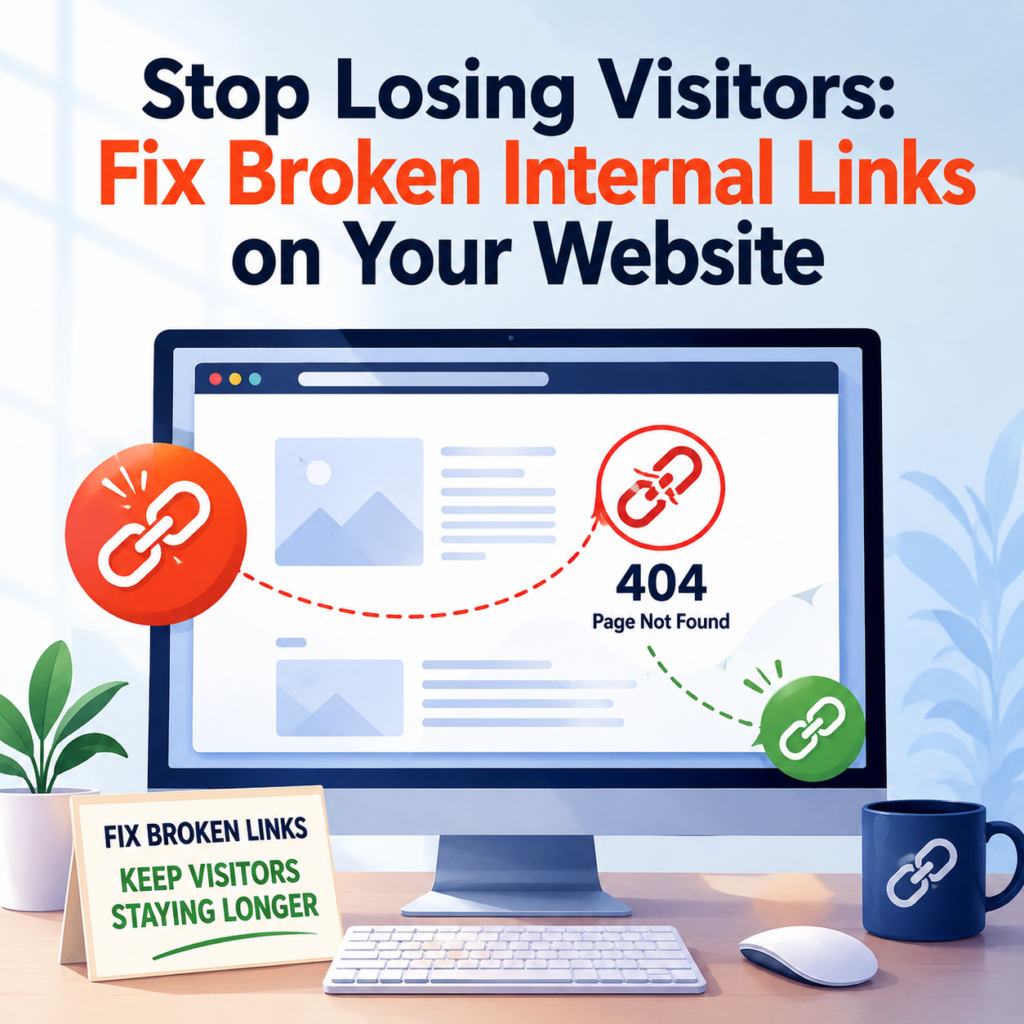
Have you ever clicked on a link on a website and seen a page that says “404 Page Not Found”? It can be frustrating. Most people don’t wait around to figure out what went wrong. Instead, they leave the website and look somewhere else.
Now imagine this happening on your own website.
Broken internal links may seem like a small problem, but they can affect your visitors, your website’s reputation, and even your SEO. If people cannot find the page they are looking for, they are less likely to stay on your website.
The good news is that broken internal links are easy to find and fix. In this blog, you will learn what they are, why they matter, and how you can fix them to keep your visitors happy.
What Are Internal Links?
Internal links are links that connect one page of your website to another page on the same website.
For example, if you have a blog about healthy eating and you add a link to another blog about weight loss, that is an internal link.
These links help visitors discover more content and make it easier for search engines to understand your website.
What Is a Broken Internal Link?
A broken internal link is a link that no longer works.
When someone clicks on it, they usually see a 404 Page Not Found error instead of the page they expected.
This happens because the page has been deleted, moved, renamed, or the link was entered incorrectly.
Instead of helping visitors, the link creates confusion.
Why Broken Internal Links Are Bad
Broken links may not seem like a big issue at first, but they can cause several problems.
Visitors Leave Your Website
People expect websites to work properly.
If they click a link and find an error page, they may leave without reading more of your content.
This means you lose potential readers, customers, or subscribers.
Poor User Experience
A good website should be easy to use.
Broken links interrupt the visitor’s journey and make the website feel outdated or poorly maintained.
People are more likely to trust websites that work smoothly.
SEO Can Be Affected
Search engines want to show users websites that provide a good experience.
If your website has many broken internal links, search engines may have difficulty crawling your pages properly.
While one or two broken links may not cause major problems, many broken links can make it harder for search engines to understand your website structure.
Important Pages May Be Missed
Internal links help search engines discover your pages.
If those links are broken, some important pages may not receive the attention they deserve.
Why Do Internal Links Break?
There are many reasons why internal links stop working.
Some common reasons include:
- A page was deleted.
- The page URL was changed.
- A typing mistake was made while adding the link.
- The website structure was changed.
- Old blog posts were not updated.
- A website migration changed page addresses.
Even small changes can create broken links if they are not checked carefully.
How to Find Broken Internal Links
Finding broken links is easier than many people think.
Here are a few simple ways.
Check Your Website Regularly
Visit your important pages from time to time.
Click on your internal links and make sure they open the correct page.
This simple habit can help you find problems early.
Use Website SEO Tools
Many SEO tools can scan your website and report broken internal links.
These tools quickly show which pages return a 404 error, saving you time compared to checking every page manually.
Look at Google Search Console
If you use Google Search Console, it can sometimes show pages that cannot be found.
Checking these reports regularly helps you discover problems before they affect many visitors.
How to Fix Broken Internal Links
Once you find broken links, fixing them is usually simple.
Update the Link
If the page still exists but has a new address, replace the old link with the correct URL.
This is often the easiest solution.
Restore the Missing Page
If you accidentally deleted an important page, restoring it may solve the problem.
Visitors can once again access the content they expected.
Redirect the Old URL
If the page has permanently moved, create a redirect from the old address to the new one.
This automatically sends visitors to the correct page without showing a 404 error.
Remove the Link
Sometimes the linked page no longer exists and is no longer needed.
In this case, removing the broken link is better than sending visitors to an error page.
Check Older Blog Posts
Many website owners focus only on new content.
However, older blog posts often contain links that become outdated over time.
Review your older articles every few months.
Update broken links, refresh outdated information, and make sure every internal link still works.
This keeps your content useful and improves the overall quality of your website.
Create a Good Internal Linking Strategy
A well-planned internal linking strategy makes your website easier to use.
Try to:
- Link only to relevant pages.
- Use clear and meaningful anchor text.
- Avoid adding too many links on one page.
- Update links whenever you change a page URL.
- Review important pages regularly.
A little maintenance can prevent many problems in the future.
How Broken Links Affect Visitors
Imagine you are shopping online.
You click on a product, but instead of seeing the product page, you get a 404 error.
Most people would simply leave and visit another website.
The same happens with blogs, business websites, and online stores.
Visitors expect every link to work.
When it doesn’t, their trust in the website decreases.
Benefits of Fixing Broken Internal Links
Taking the time to fix broken links offers many advantages.
- Visitors can easily find the information they need.
- Your website feels more professional.
- People stay on your website longer.
- Search engines can crawl your website more effectively.
- Important pages become easier to discover.
- Your website provides a smoother browsing experience.
These improvements may seem small, but together they make a big difference.
How Often Should You Check for Broken Links?
There is no fixed rule, but checking your website regularly is a good habit.
If you publish new content often, checking once a month is a smart idea.
For smaller websites that are updated less frequently, checking every few months may be enough.
The important thing is not to ignore the problem for too long.
Common Mistakes to Avoid
When fixing broken internal links, avoid these common mistakes:
- Ignoring 404 errors.
- Deleting pages without updating links.
- Forgetting to update links after changing URLs.
- Linking to pages that no longer exist.
- Never reviewing older content.
Avoiding these mistakes helps keep your website healthy and easy to navigate.
Final Thoughts
Broken internal links may seem like a small issue, but they can have a big impact on your website. Every time a visitor clicks a broken link and sees a 404 Page Not Found error, there is a chance they will leave and never return.
By regularly checking your website, identifying broken internal links, and fixing them quickly, you create a better experience for your visitors. At the same time, you help search engines crawl your website more effectively and keep your content connected.
Remember, every working link helps guide visitors to useful information. A website that is easy to navigate, free from broken links, and regularly maintained is more likely to keep visitors engaged and encourage them to come back.
A few minutes spent fixing broken internal links today can save you from losing valuable visitors tomorrow.