When people talk about SEO, they often focus on keywords, content, backlinks, and website speed. While all of these things are important, there is one small element that can make a big difference in your website’s performance: the title tag.
A title tag is one of the first things people see when your page appears in search results. It tells both search engines and users what your page is about. A good title tag can help improve rankings and encourage more people to click on your website.
In this guide, we will learn what a title tag is, how long it should be, why it matters for SEO, and how you can create the perfect title tag in a simple way.
What Is a Title Tag?
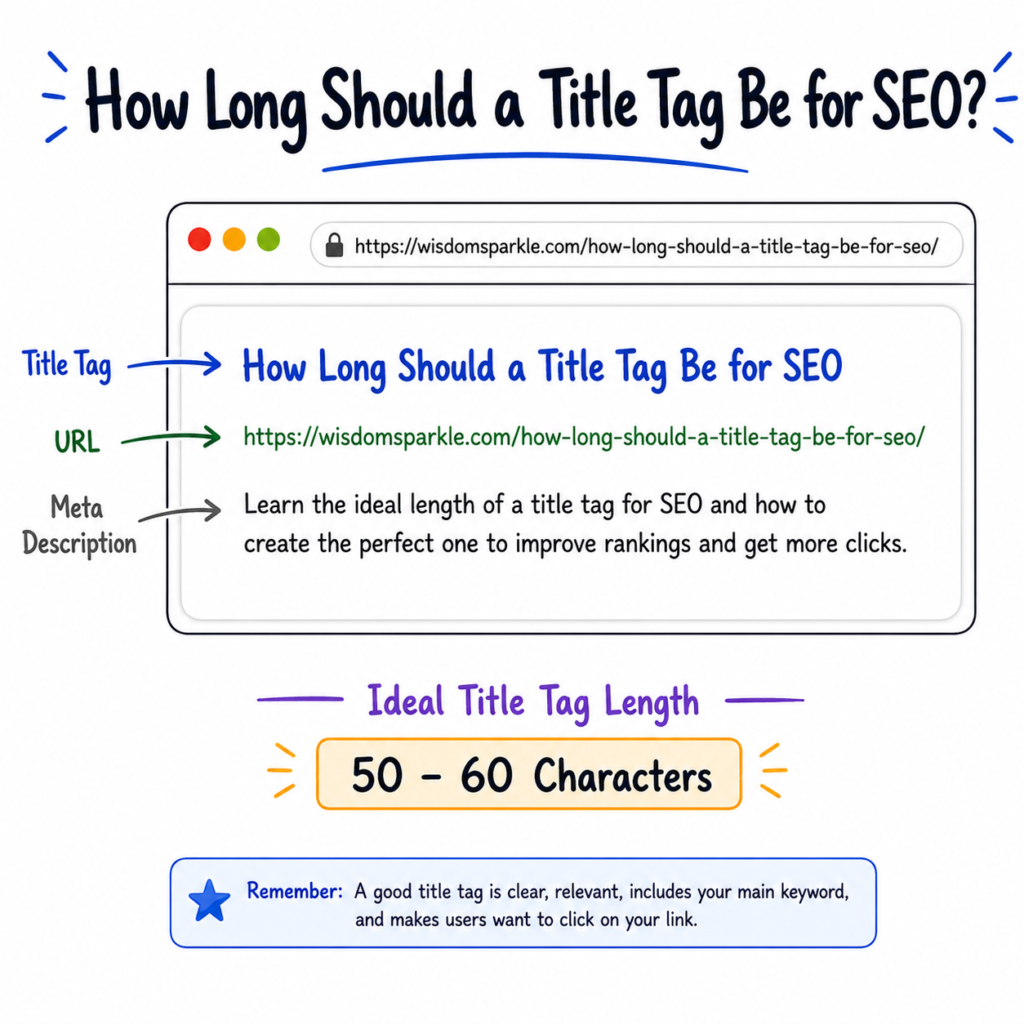
A title tag is the title of a webpage that appears on search engine result pages and browser tabs.
For example, if someone searches for “healthy breakfast ideas,” Google may show a result like this:
Healthy Breakfast Ideas for a Better Start to Your Day
This headline is usually the title tag.
Think of it as the name of your webpage. It helps search engines understand your content and helps users decide whether they want to click on your page.
Why Is a Title Tag Important for SEO?
A title tag is important because it gives search engines information about your page.
It also helps users quickly understand what they will find after clicking.
A good title tag can:
- Improve search engine rankings
- Increase click-through rates
- Help users understand your content
- Make your page look more professional
- Bring more visitors to your website
Even if your content is excellent, a weak title tag can reduce the number of clicks you receive.
How Long Should a Title Tag Be for SEO?
This is one of the most common SEO questions.
Generally, a title tag should be between 50 and 60 characters.
Google does not count characters exactly, but titles within this range usually display properly in search results.
Good Example
How to Create SEO-Friendly Title Tags for Better Rankings
This title is clear, easy to read, and fits well within Google’s display limit.
Too Long Example
How to Create SEO-Friendly Title Tags for Better Rankings and Increase Organic Traffic on Your Website Today
This title may get cut off in search results.
When a title becomes too long, Google may show only part of it and replace the rest with dots (…).
Because of this, it is best to keep your title short, clear, and focused.
What Happens If a Title Tag Is Too Short?
A very short title may not provide enough information.
For example:
SEO Tips
This title is too broad.
Users do not know what specific topic the page covers.
Instead, you could write:
SEO Tips for Beginners to Improve Website Rankings
This gives more information and is more useful.
What Makes a Perfect Title Tag?
A perfect title tag is:
- Clear
- Easy to understand
- Relevant to the content
- Includes the main keyword
- Not too long
- Attractive to users
The goal is simple.
When someone sees your title in search results, they should immediately understand what the page is about.
How to Create the Perfect Title Tag
Creating a title tag is easier than many people think.
Let’s go step by step.
Step 1: Know Your Main Keyword
Before writing a title, decide which keyword you want to target.
For example:
- Title tag SEO
- Healthy recipes
- Fitness tips
- Weight loss exercises
Your main keyword should be closely related to your content.
Step 2: Place the Keyword Near the Beginning
Search engines and users often pay more attention to words at the beginning of a title.
For example:
Title Tag SEO: How to Create the Perfect Page Title
This is usually better than:
Learn Everything About Creating the Perfect Title Tag for SEO
Putting the keyword early can make your title clearer.
Step 3: Explain the Benefit
People click when they see value.
Tell readers what they will learn.
Examples:
- Easy Guide
- Step-by-Step Tutorial
- Best Practices
- Beginner’s Guide
- Expert Tips
Example:
Title Tag SEO: A Simple Guide for Beginners
The user immediately knows what to expect.
Step 4: Keep It Simple
Avoid complicated words.
A simple title is easier to read and understand.
Instead of:
Advanced Methodologies for Strategic Title Tag Optimization
Write:
How to Optimize Title Tags for Better SEO
Simple titles often perform better because more people understand them.
Step 5: Keep the Length Under Control
Try to stay between 50 and 60 characters whenever possible.
This helps your title display properly in search results.
You can use free SEO tools to check title length before publishing.
Easy Formula for Writing Title Tags
If you are confused about creating title tags, use this simple formula:
Main Keyword + Benefit
Examples:
- Title Tag SEO + Beginner Guide
- Fitness Tips + Better Health
- Healthy Eating + Easy Daily Habits
Result:
Title Tag SEO: Beginner Guide for Better Rankings
Another formula:
How to + Keyword + Benefit
Example:
How to Create SEO-Friendly Title Tags for More Clicks
This formula works well for many blog posts.
Examples of Good Title Tags
Here are some examples.
For SEO
What Is a Title Tag and Why Is It Important for SEO?
For Fitness
Simple Fitness Tips for a Healthy Lifestyle
For Health
10 Healthy Habits You Can Start Today
For Beauty
How to Get Glowing Skin Naturally at Home
These titles are clear and easy to understand.
Common Title Tag Mistakes
Many beginners make small mistakes when writing title tags.
Let’s look at some common ones.
Keyword Stuffing
Bad Example:
Title Tag SEO Title Tag SEO Best Title Tag SEO Guide
This looks unnatural and can create a poor user experience.
Making Titles Too Long
Very long titles may get cut off in search results.
Keep them concise.
Using Clickbait
Bad Example:
You Won’t Believe This SEO Secret!
Users may feel disappointed if the content does not match the title.
Always be honest.
Creating Duplicate Titles
Every page should have its own unique title tag.
Using the same title on multiple pages can confuse search engines.
Should You Add Your Brand Name?
Adding your brand name can be helpful, especially if your website is becoming well known.
Example:
How to Create SEO-Friendly Title Tags | Wisdom Sparkle
This can improve brand recognition.
However, if your title becomes too long, focus on the main keyword first.
How to Check Your Title Tag
Before publishing a page, ask yourself:
- Does it clearly explain the topic?
- Is the main keyword included?
- Is it easy to read?
- Is it attractive to users?
- Is it around 50–60 characters?
- Does it match the page content?
If the answer is yes, your title tag is probably ready.
Final Thoughts
A title tag may seem like a small part of SEO, but it has a big impact on how people find and click on your website.
The ideal title tag is usually between 50 and 60 characters, includes the main keyword, clearly describes the page, and gives users a reason to click.
The easiest way to create a title tag is to choose your main keyword, explain the benefit, and keep the title simple and clear.
Remember, you are not writing for search engines alone. You are writing for real people. If your title is easy to understand and accurately describes your content, you are already moving in the right direction.
A good title tag is not about being clever or complicated. It is about being clear, helpful, and relevant. When you follow these simple rules, you can create title tags that improve SEO and attract more visitors to your website.