If you have a website, you may have heard about canonical URLs while learning about SEO. The term may sound technical, but the idea behind it is actually very simple. A canonical URL helps search engines understand which version of a page should be treated as the main one.
In this guide, we will understand what a canonical URL is, why it matters for SEO, and how you can use it correctly on your website.
What Is a Canonical URL?
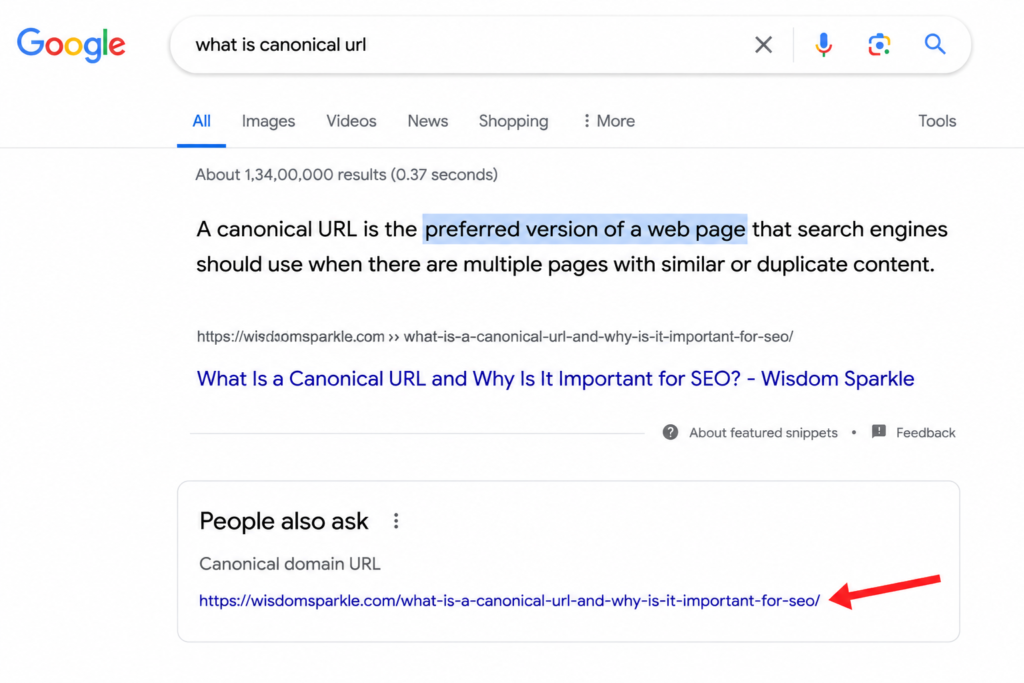
A canonical URL is the main or preferred version of a webpage. It tells search engines like Google which page should be indexed and shown in search results when there are multiple pages with similar or identical content.
In simple words, a canonical URL helps avoid confusion by saying:
“This is the original page. Please treat this as the main version.”
For example, these URLs may all show the same page:
- https://example.com/product
- https://www.example.com/product
- https://example.com/product/
- https://example.com/product?source=facebook
Even though these URLs look different, they may contain the same content. A canonical URL tells Google which one should be considered the main page.
Why Do Duplicate Pages Happen?
Duplicate pages are very common on websites. They can appear because of:
- HTTP and HTTPS versions of a website.
- Pages with or without “www”.
- URL parameters used for tracking.
- Product filters on e-commerce sites.
- Printer-friendly pages.
- Multiple URLs pointing to the same content.
Search engines may see these pages as separate pages, which can create confusion.
Why Is a Canonical URL Important for SEO?
Canonical URLs are important because they help search engines understand your website better. Here are some major benefits.
Prevents Duplicate Content Problems
When several pages have similar content, Google may not know which one to rank. A canonical URL helps search engines choose the correct page.
This reduces duplicate content issues and keeps your SEO strong.
Improves Search Rankings
If the same content exists on multiple URLs, backlinks and ranking signals can get divided between them.
A canonical URL combines those signals into one main page, which can help improve rankings.
Helps Search Engines Crawl Better
Search engines have limited resources for crawling websites. Canonical URLs help Google focus on important pages instead of spending time on duplicate pages.
This makes website crawling more efficient.
Keeps Website Data Organized
Analytics and SEO reports become easier to understand when search engines treat one page as the main version.
This gives you a clearer picture of your website’s performance.
How Does a Canonical URL Work?
Canonical URLs are usually added using a canonical tag inside the HTML code of a page.
It looks like this:
<link rel=”canonical” href=”https://example.com/page-url/”>
This line tells search engines that the URL mentioned in the tag is the preferred version.
When Google crawls the page, it understands which page should be indexed.
Example of a Canonical URL
Suppose your blog article can be visited through these URLs:
- https://example.com/blog/seo-guide
- https://example.com/blog/seo-guide?ref=facebook
- https://example.com/blog/seo-guide?campaign=email
Since the content is the same, you can set this as the canonical URL:
<link rel=”canonical” href=”https://example.com/blog/seo-guide”>
Now search engines will treat the original page as the main one.
What Is a Self-Referencing Canonical URL?
A self-referencing canonical URL means a page points to itself as the preferred version.
For example:
<link rel=”canonical” href=”https://example.com/about-us”>
This tag is placed on the same page.
Many SEO experts recommend using self-referencing canonical tags because they clearly tell search engines which URL should be indexed.
When Should You Use Canonical URLs?
Canonical URLs are useful in many situations.
Similar Pages
If several pages contain almost the same content, use a canonical URL to point to the original page.
Product Variations
Online stores often have products with different colors or sizes. Canonical tags help tell search engines which page is the main product page.
Tracking URLs
Marketing campaigns often create URLs with parameters like:
?utm_source=email
Canonical URLs ensure these versions do not compete with the original page.
HTTP and HTTPS Versions
Your website should normally use HTTPS. A canonical URL helps search engines understand that HTTPS is the preferred version.
How to Add Canonical URLs in WordPress
Adding canonical URLs in WordPress is very easy.
Using Yoast SEO
If you use the Yoast SEO plugin:
- Open the page or post.
- Scroll to the Yoast SEO section.
- Click Advanced.
- Find the Canonical URL option.
- Enter the preferred URL.
- Save or update the page.
Using Rank Math
If you use Rank Math:
- Edit the page.
- Open the Rank Math settings.
- Go to the Advanced tab.
- Find the Canonical URL field.
- Add your preferred URL.
- Update the page.
Most SEO plugins automatically add self-referencing canonical tags, so manual changes are often not necessary.
Common Canonical URL Mistakes
Many website owners make mistakes while using canonical tags. Here are some common ones.
Pointing to the Wrong Page
Always make sure the canonical URL points to the correct page. Otherwise, Google may ignore your preferred page.
Using Multiple Canonical Tags
A page should only have one canonical tag. Multiple tags can confuse search engines.
Broken URLs
Never use URLs that return 404 errors. The canonical page should always exist.
Blocking Canonical Pages
Do not block canonical pages using robots.txt. Search engines need access to them.
Forgetting Internal Links
Your internal links should also point to the preferred URL whenever possible.
Canonical URL vs Redirect
People often confuse canonical URLs with redirects, but they are different.
Canonical URL
- Keeps all pages accessible.
- Tells search engines which page is preferred.
- Users can still visit duplicate pages.
Redirect
- Sends users to another page automatically.
- Removes access to the old page.
- Useful when pages are permanently moved.
If duplicate pages must remain available, a canonical URL is usually the better choice.
How to Check Canonical URLs
You can check canonical URLs using:
- Google Search Console
- Yoast SEO
- Rank Math
- Browser source code
- SEO tools like Ahrefs and Semrush
Simply view the page source and search for:
rel=”canonical”
You will see the URL that has been set as the preferred version.
Does Google Always Follow Canonical Tags?
Not always.
Canonical tags are considered suggestions, not commands. Google usually follows them, but if it finds another page more suitable, it may choose a different URL.
That is why it is important to:
- Use proper internal links.
- Avoid duplicate content.
- Create clear website structures.
- Use correct canonical tags.
Final Thoughts
A canonical URL is one of the most important parts of SEO, especially for websites with similar or duplicate pages. It helps search engines understand which page should be treated as the original version.
By using canonical URLs correctly, you can avoid duplicate content problems, improve crawling, and strengthen your search rankings.
The good news is that if you use WordPress plugins like Yoast SEO or Rank Math, adding canonical URLs becomes very simple. A small tag can make a big difference in keeping your website organized and SEO-friendly.
If you want your pages to rank better and avoid confusion for search engines, using canonical URLs is something you should never ignore.