A healthy website is important if you want your pages to appear in Google search results. You may spend hours writing blog posts, improving your website design, and adding useful information, but if Google cannot index your pages, people may never find them.
This is where the Index Coverage Report in Google Search Console becomes useful. It helps you understand which pages are indexed, which have problems, and which are excluded from Google’s search index.
Many website owners ignore this report until they notice a drop in traffic. However, checking it regularly can help you fix problems before they become serious.
In this article, you will learn what the Index Coverage Report is, why it matters, and how to use it to keep your website healthy.
What Is the Index Coverage Report?
The Index Coverage Report is a feature inside Google Search Console that shows how Google is indexing your website.
It tells you:
- Which pages are successfully indexed
- Which pages have errors
- Which pages have warnings
- Which pages are excluded from indexing
This report gives you a clear picture of your website’s indexing status.
Why Is the Index Coverage Report Important?
Google can only show pages in search results if they are indexed.
If important pages have indexing problems, they may not appear in search results at all. That means fewer visitors, fewer clicks, and lower organic traffic.
Checking the report regularly helps you:
- Find indexing problems quickly
- Improve website visibility
- Remove unnecessary pages from the index
- Keep your website organized
- Improve your overall SEO performance
Even small indexing issues can affect your website if they remain unfixed for a long time.
Where Can You Find the Index Coverage Report?
You can find it inside your Google Search Console account.
After selecting your website property:
- Open Google Search Console.
- Go to the Pages section under Indexing.
- Review the report.
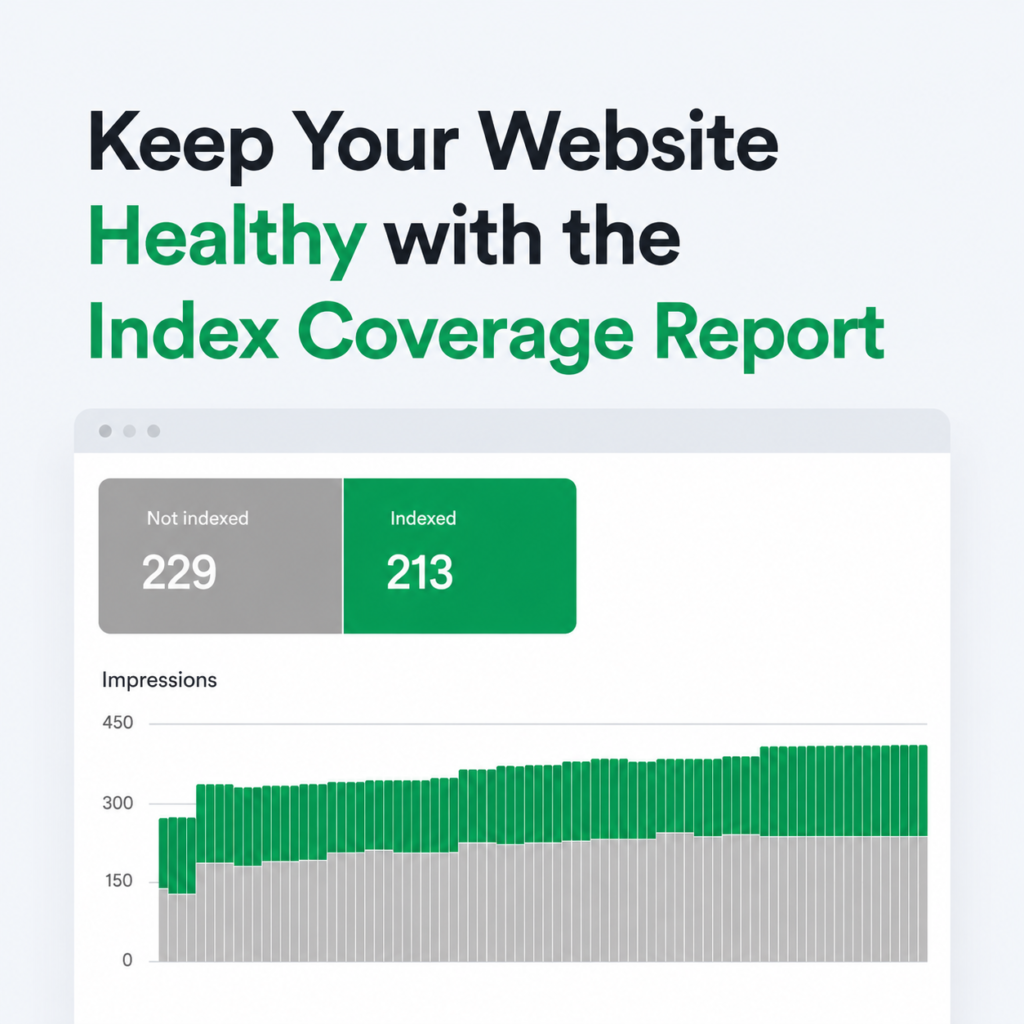
Here you will see a summary of your indexed and non-indexed pages.
Understanding the Different Status Types
The report groups your pages into different categories.
Indexed Pages
These pages have been successfully indexed by Google.
This is exactly what you want for your important blog posts, service pages, and product pages.
The more valuable pages you have indexed, the better.
Error Pages
These pages could not be indexed because Google found a problem.
Some common reasons include:
- Server errors
- Redirect errors
- Broken pages
- Pages blocked by robots.txt
- Soft 404 errors
These problems should be fixed as soon as possible.
Warning Pages
Warnings mean Google found something unusual.
The page may still be indexed, but there could be an issue that needs attention.
Ignoring warnings for a long time may lead to indexing problems later.
Excluded Pages
Excluded pages are not indexed intentionally or because Google decided not to index them.
Not every excluded page is a problem.
For example:
- Duplicate pages
- Thank-you pages
- Admin pages
- Login pages
These usually do not need to appear in search results.
However, if an important page is excluded, you should investigate why.
Common Index Coverage Problems
Here are some issues you may see in the report.
Crawled – Currently Not Indexed
Google visited the page but decided not to index it.
Possible reasons include:
- Thin content
- Duplicate information
- Low-quality pages
- New pages waiting for indexing
Improving the content often helps.
Discovered – Currently Not Indexed
Google knows the page exists but has not crawled it yet.
This may happen because:
- Your website has many pages.
- Crawl budget is limited.
- The page is new.
Usually, Google will crawl it later.
Duplicate Without User-Selected Canonical
Google found multiple pages with similar content and selected another version as the main page.
Review your canonical tags to ensure they are correct.
Page with Redirect
Redirected pages are usually excluded because Google indexes the destination page instead.
This is normal unless the redirect is broken.
Not Found (404)
A page no longer exists.
Sometimes this is expected.
However, if an important page returns a 404 error, you should restore it or create a proper redirect.
Soft 404
A Soft 404 happens when a page looks empty even though it returns a normal status code.
Google may treat these pages as low quality.
Add useful content or remove the page if it is no longer needed.
Blocked by Robots.txt
Your robots.txt file tells Google not to crawl certain pages.
Make sure you are not accidentally blocking important pages.
Blocked Due to Unauthorized Request
This happens when Google cannot access a page because login credentials are required.
Private pages usually do not need indexing.
How Often Should You Check the Report?
A good habit is to review the report:
- Once every week
- After publishing many new articles
- After redesigning your website
- After changing URLs
- After updating your sitemap
Regular monitoring helps you catch problems early.
How to Fix Index Coverage Errors
Fixing indexing problems depends on the type of issue.
Here are a few simple steps:
Fix Broken Links
Replace or remove links that point to missing pages.
Improve Thin Content
Pages with very little information should be expanded with useful and original content.
Submit an Updated Sitemap
An updated XML sitemap helps Google discover your pages faster.
Check Robots.txt
Make sure valuable pages are not blocked accidentally.
Review Canonical Tags
Use the correct canonical URL to prevent duplicate content problems.
Fix Redirect Chains
Keep redirects simple.
Avoid sending users through multiple redirects before reaching the final page.
Request Indexing
After fixing important pages, use the URL Inspection tool in Google Search Console and request indexing.
This helps Google review the page sooner.
Best Practices to Keep Your Website Healthy
Following good SEO habits reduces indexing problems.
Some simple practices include:
- Publish original content regularly.
- Keep internal links updated.
- Remove unnecessary pages.
- Fix broken links quickly.
- Update your sitemap after major changes.
- Avoid duplicate content.
- Use clear URL structures.
- Monitor Search Console every week.
These small actions can make a big difference over time.
Mistakes to Avoid
Many website owners accidentally create indexing problems.
Some common mistakes include:
- Ignoring Search Console alerts
- Blocking important pages
- Publishing duplicate content
- Deleting pages without redirects
- Forgetting to update the sitemap
- Creating many low-quality pages
- Leaving broken links unfixed
Avoiding these mistakes keeps your website healthier and easier for Google to understand.
Final Thoughts
The Index Coverage Report is one of the most useful tools available in Google Search Console. It helps you understand how Google views your website and shows you which pages are indexed, excluded, or affected by errors.
Checking this report regularly does not take much time, but it can prevent many SEO problems before they affect your rankings. By fixing errors, improving weak pages, and making sure your important content is indexed, you help Google crawl your website more effectively.
A healthy website is easier for search engines to understand, provides a better experience for visitors, and has a stronger chance of ranking well. Make it a habit to review your Index Coverage Report regularly, and your website will stay in better shape for long-term SEO success.