
When you move a webpage, change a URL, or redesign your website, redirects help visitors and search engines find the new page. Redirects are an important part of technical SEO because they make sure users don’t land on broken pages.
However, not all redirects are good for your website. If one redirect leads to another, and then another, you create a redirect chain. If redirects send users in a circle that never ends, you create a redirect loop. Both problems can slow down your website and make it harder for search engines to crawl your pages.
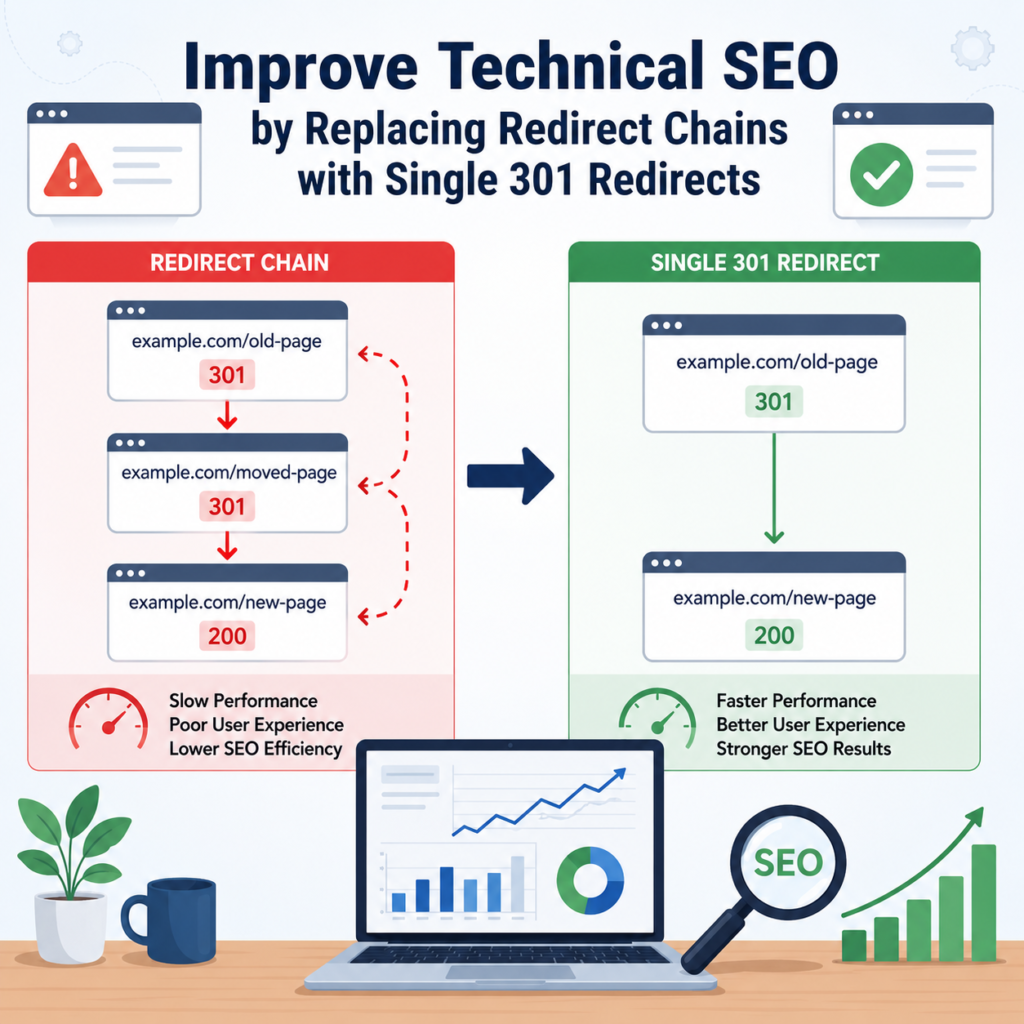
The best solution is to replace unnecessary redirect chains with a single 301 redirect. This makes your website faster, improves user experience, and supports better SEO.
In this blog, you’ll learn what redirect chains and loops are, why they matter, and how to fix them.
What Is a 301 Redirect?
A 301 redirect is a permanent redirect that tells browsers and search engines that a page has moved to a new location.
For example:
Old URL:
example.com/old-page
New URL:
example.com/new-page
When someone visits the old URL, they are automatically taken to the new one.
Search engines also understand that the page has permanently moved and transfer most of its SEO value to the new URL.
What Is a Redirect Chain?
A redirect chain happens when one redirect leads to another instead of going directly to the final page.
For example:
Page A → Page B → Page C
Instead of sending visitors directly from Page A to Page C, they must pass through Page B first.
Each extra redirect adds another step, making the website slower.
What Is a Redirect Loop?
A redirect loop happens when redirects point back to each other.
For example:
Page A → Page B
Page B → Page A
The browser keeps moving between the two pages without reaching the final destination.
Visitors usually see an error message saying the page cannot load because there are too many redirects.
Why Redirect Chains Are Bad for SEO
Redirect chains create several problems for both users and search engines.
Slower Page Loading
Every redirect takes extra time.
If visitors must go through several redirects before reaching the final page, the website loads more slowly.
Page speed is an important ranking factor, so unnecessary redirects can affect SEO.
Poor User Experience
Nobody likes waiting for pages to load.
Slow redirects can frustrate visitors and increase the chance that they leave your website before the page opens.
Search Engines Waste Crawl Time
Google uses crawl resources to discover and index pages.
If search engine bots spend time following multiple redirects, they have less time to crawl other important pages.
This can slow down indexing.
Loss of Link Value
Although Google passes most SEO value through a 301 redirect, long redirect chains are still not recommended.
Keeping redirects simple helps search engines understand your website more easily.
Common Causes of Redirect Chains
Redirect chains often happen by accident.
Some common reasons include:
- Website redesigns
- URL changes over time
- Moving from HTTP to HTTPS
- Changing domain names
- Installing new SEO plugins
- Editing redirects without removing old ones
- Multiple website migrations
After several updates, redirects can build up without anyone noticing.
How to Find Redirect Chains
The first step is identifying where the problem exists.
Several SEO tools can scan your website and report redirect issues.
Popular tools include:
- Google Search Console
- Screaming Frog SEO Spider
- Ahrefs Site Audit
- Semrush Site Audit
- Sitebulb
These tools show URLs that pass through multiple redirects before reaching the final page.
How to Fix Redirect Chains
Fixing redirect chains is usually simple.
Redirect Directly to the Final Page
Instead of:
Page A → Page B → Page C
Change it to:
Page A → Page C
Visitors reach the final page immediately without unnecessary steps.
Remove Old Redirects
After updating redirects, check if older redirects are still needed.
Delete outdated redirects that no longer serve a purpose.
Update Internal Links
Many websites still link to old URLs.
Instead of relying on redirects, update your internal links so they point directly to the newest page.
This improves both speed and SEO.
Check Your Redirect Rules
If you use WordPress, Apache, or Nginx, review your redirect rules regularly.
Sometimes duplicate or conflicting rules create redirect chains without you realizing it.
How to Fix Redirect Loops
Redirect loops require careful checking.
Look for redirects that point back to each other.
For example:
Old Page → New Page
New Page → Old Page
Remove the incorrect redirect so users can reach the correct page.
Always test your redirects after making changes.
Best Practices for Using 301 Redirects
Following a few simple rules can prevent future redirect problems.
Use One Redirect Only
Whenever possible, use one direct 301 redirect from the old page to the new page.
Avoid creating extra steps.
Update Website Links
Menus, buttons, blog posts, and internal links should point directly to the final URL.
This reduces unnecessary redirects.
Review Redirects Regularly
Technical SEO should be part of your regular website maintenance.
Check your redirects every few months, especially after redesigning your website.
Remove Redirects That Are No Longer Needed
Some redirects become unnecessary after a long time.
Cleaning them up keeps your website organized.
Test After Every Website Update
Whenever you change URLs, launch new pages, or migrate your website, test your redirects to make sure everything works correctly.
Benefits of Single 301 Redirects
Replacing redirect chains with a single 301 redirect offers many advantages.
- Faster page loading
- Better user experience
- Easier crawling for search engines
- Improved crawl efficiency
- Cleaner website structure
- Better technical SEO
- Fewer website errors
- Easier website management
These improvements help both visitors and search engines.
Common Redirect Mistakes to Avoid
Many website owners accidentally create redirect problems.
Avoid these mistakes:
- Creating multiple redirects for one page
- Forgetting to update internal links
- Using temporary redirects instead of permanent 301 redirects
- Leaving old redirect rules active
- Ignoring redirect errors after a website migration
- Not testing redirects after making changes
Preventing these mistakes saves time and improves your website’s performance.
Final Thoughts
Redirects are an essential part of website management, but they should always be kept simple. Long redirect chains and redirect loops slow down your website, waste crawl resources, and create a poor experience for visitors.
The best approach is to replace unnecessary redirect chains with a single 301 redirect that points directly to the final page. This improves page speed, makes your website easier for search engines to crawl, and strengthens your overall technical SEO.
Take time to review your website’s redirects regularly. A few small changes can make your site faster, cleaner, and more SEO-friendly while helping visitors reach the right content without delays.